
This week’s Paradroid work has been a reminder that the small things can make the biggest difference. A door that looks open should let you through. A settings menu should let you move around without changing things by accident. And a transfer circuit should fail because of your decisions, not because its wiring has quietly changed colour.
Making the ship easier to read
The Info Bar was my addition to the remake, rather than part of the original game. I added it because it was not obvious why a damaged droid could no longer charge to full capacity, or when its weapon would be ready to fire again. Those energy-capacity and cooldown indicators still do the important work; this pass gives them a clearer, sharper home.
The ship silhouette is larger, and the controller, keyboard, sound and music indicators now use a consistent set of SF Symbols in both Info Bar styles. The terminal’s Ship Plan also has a colour key, a “YOU ARE HERE” marker and its shaded deck borders back. Mouse and touch users can select terminal menu items directly, including returning to the console and browsing the droid database.
Settings that follow your lead
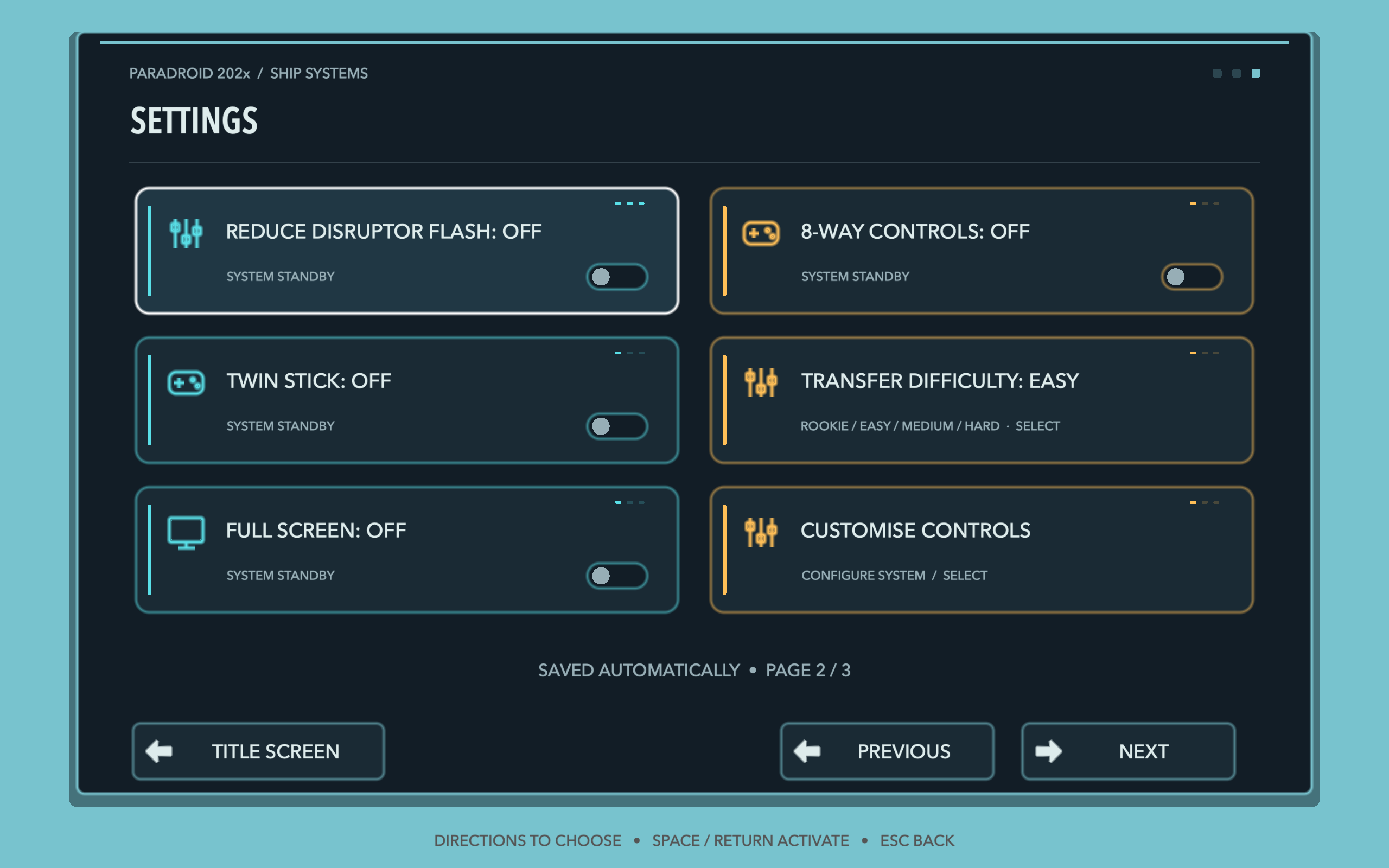
Settings is now available from Pause using the same screen as the title menu. Directions move between settings; Fire activates the selected control. Toggles change immediately, while volume sliders enter an explicit edit mode. Fire or Back finishes editing, so moving to the next option no longer changes a volume by accident.
The duplicate keyboard shortcut has gone. Customise Controls leads to keyboard settings, and submenus return to the screen they came from. High Scores now lets the gamepad highlight and open Game Center, with Apple’s official artwork on the button. Score entry has also been widened so the name fields and gamepad keyboard can sit beside each other when there is room.
A fairer transfer fight
Shots now require a wire directly beside the firing position. Empty entries do not waste ammunition. Holding Fire with Up or Down fires before moving along, while shots remain.
The circuit generator keeps colour switchers off routes connected to splitters and joiners, preventing incompatible branches from breaking a chain. Circuit lighting takes 35% less time, while still travelling visibly through each stage.
Doors, debris and the final transmission
A door could begin closing, reverse before its first closing frame, and remain solid despite looking open. Collision now follows the displayed door frame, so a doorway that looks open lets you pass through.
Destroyed droids now deposit fragments and soot progressively over the explosion, rather than revealing a complete pile afterwards. The debris stays beneath doors. At game over, a larger 999 fades in through the final part of the static before the transmission-terminated message appears.
The next build
These changes are part of the ongoing 0.9.4 work. macOS and iOS builds have passed, alongside targeted checks for controls, transfer circuits, door collisions and visual timing. Phone and desktop Info Bar layouts have also been rendered and checked. This is a development update, not an announcement of an App Store release; hands-on playtesting is still the next judge of how it all feels.